
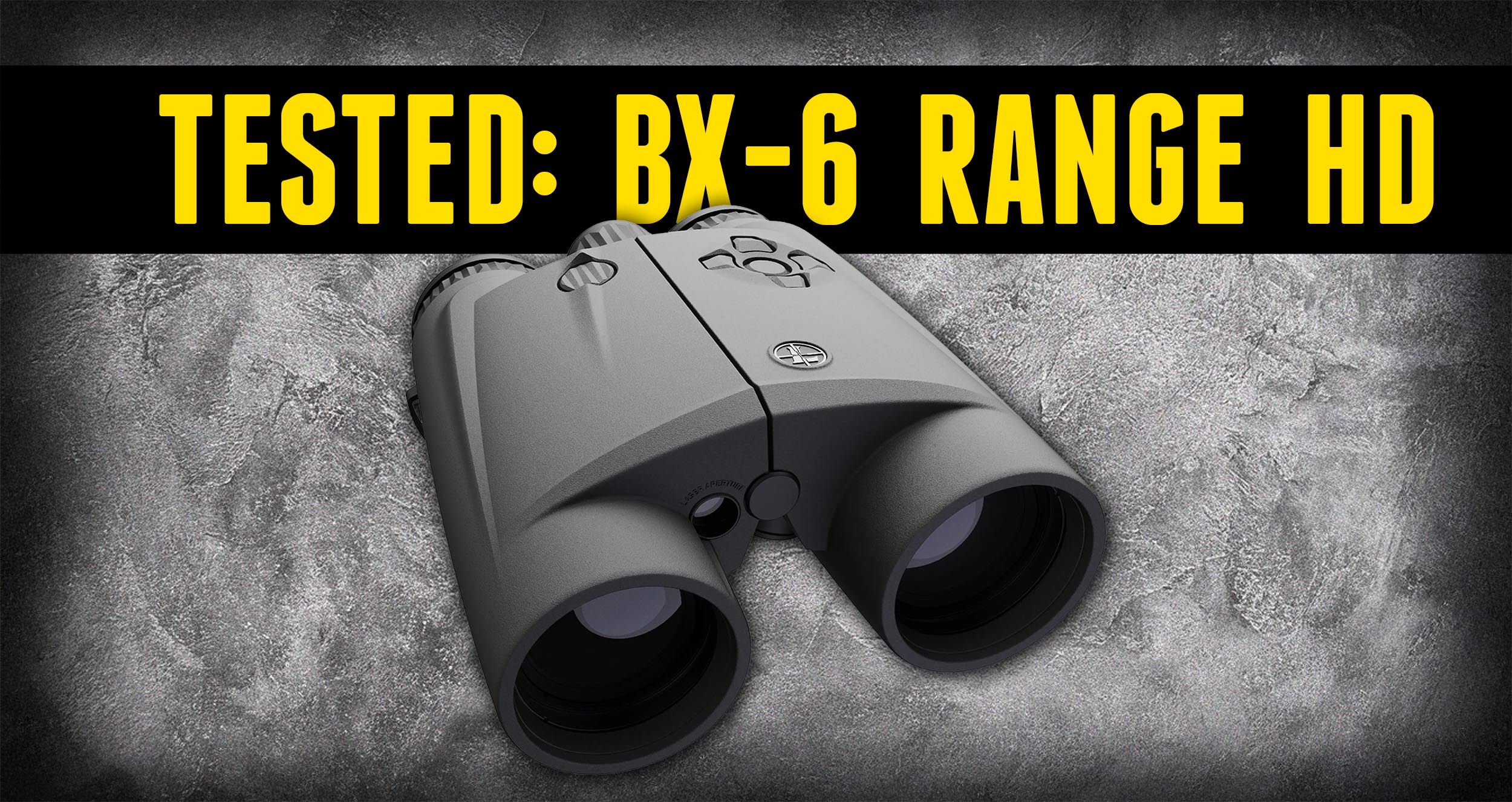
The BX-6 Range HD is Leupold’s answer to the high-end, all-in-one binocular platform. Not only is it a class-leading binocular, it’s also a precision laser rangefinder, a ballistic calculator and a GPS companion, all while being able to range reflective targets out to 6,000 yards. In this article, we’re getting extra hands-on: we’ll look at the heads-up display, set up the companion app, and test it in a variety of conditions on the Ridgeline Range. Watch or read on!
Disclaimer
Ultimate Reloader LLC / Making with Metal Disclaimer: (by reading this article and/or watching video content you accept these terms). The content on this website (including videos, articles, ammunition reloading data, technical articles, gunsmithing and other information) is for demonstration purposes only. Do not attempt any of the processes or procedures shown or described on this website. All gunsmithing procedures should be carried out by a qualified and licensed gunsmith at their own risk. Do not attempt to repair or modify any firearms based on information on this website. Ultimate Reloader, LLC and Making With Metal can not be held liable for property or personal damage due to viewers/readers of this website performing activities, procedures, techniques, or practices described in whole or part on this website. By accepting these terms, you agree that you alone are solely responsible for your own safety and property as it pertains to activities, procedures, techniques, or practices described in whole or part on this website.
What’s in the Box
I looked through the BX-6 Range HD at SHOT Show this year, and I knew I had to get my hands on one. The time has finally come! The packaging is very nice, and here’s what’s included:
- BX-6 Range HD binoculars
- Case with tight-fitting closed-cell foam interior, to protect them if you’re going on a hunt, flying, etc.
- Strap
- Tripod mount
- Eye cup options
- Leupold tool
- Front and rear covers that slip right on
- Printed materials
The construction is really nice, and from my first quick look through them, they look amazing.
Technology Overview
There’s a lot to talk about with the BX-6 Range HD, so I’ll go through the technology, features and specs at a high level here, then get into more detail during our in-field demos.
AccuView AMOLED Display
The display is incredibly crisp and provides a high level of visibility, overlaid on what you’re looking at through the binoculars. It has a customizable layout, and with the Leupold [VERIFY: Connect] app, you can manage all of your settings from your phone, which is amazing.
Advanced Ballistic Intelligence
With the app, the BX-6 becomes a ballistic solver. You can enter rifles and ammunition into the system and access them in the field. So if you’re on a sheep hunt in Alaska and you lase the target, it gives you exactly the information you need to dial and take the shot. That’s exactly what I’m looking for in the field.
Onboard Sensors
The BX-6 has onboard sensors for temperature, pressure and look angle, which capture the information that’s most important when it comes to dialing for and taking the shot.
Precision GPS Pinning
I was excited to try this one. Pinning works with apps like onX, Google Maps and Apple Maps, letting you tag a specific geolocation and have it integrated into that app’s display.
Laser Rangefinding
This is our most impressive laser rangefinder yet, with the ability to range deer at 2,000 yards, trees at 3,000 yards and reflective targets at up to 6,000 yards.
Notable Features
- Optics: This is the highest-quality optic system Leupold has ever put into a binocular. From my first look, the edge-to-edge clarity, lack of chromatic aberration, contrast and color correctness are something else. It’s a true step up from the BX-4.
- Ranging modes: True Ballistic Range/Wind (TBR/W), one of Leupold’s proprietary technologies for their rangefinding binoculars, plus bow mode, last target and line of sight. I’m not an archer myself, but I know bow mode is pretty imperative if you’re bow hunting.
- Eye cups: Really nice, form-fitting eye cups with different options you can deploy, so they’re configurable for your preferences and your face.
- Companion app: Lets you quickly manage settings, use the pinning functionality, send ballistics information for your rifle and ammunition, and more.
- Weather protection: Waterproof and fogproof.
- Glove-friendly keypad: Even with gloves on, you can feel a depressed area in the middle, orient yourself, and find the key you want to press. I do a lot of coyote hunting at night, and I also deer hunt at higher elevations, where gloves are just a thing. You really have to be prepared to deal with that.
Specifications
Leupold has exhaustive specs on their product page, but here are the ones that stand out to me:
- Magnification: 10x (that’s what I hunt with, so I love that)
- Objective lens: 42mm
- Ranging: Deer at 2,000 yards, trees at 3,000 yards, reflective targets at 6,000 yards
- Battery: CR123, approximately 4,000 ranging actuations
- MSRP: $3,999.99
Those ranging numbers are crazy, and we’re going to put them to the test in the field.
App Setup and Pairing
Since I have an iPhone, I went to the App Store, searched for the Leupold app, then downloaded, installed and launched it. By default, you’ll get a pairing prompt on first launch. If you relaunch it, go to the hamburger menu, then My Devices, then Add Device, and pick BX-6 to begin pairing.
There are multiple ways to pair, including through the menus, but the easiest is:
- Press and hold the D-pad center button.
- Press the power button.
- Release both buttons. The display will show Bluetooth pairing, then ready to pair.
- Tap to pair in the app.
- Look through the binoculars for the pairing code (mine was 656), type it into the app, and tap the check mark.
I renamed mine “BX6 Range Ultimate Reloader,” and boom, we’re connected! Now we can change settings from the app and start using the advanced functionality.
Pinning Setup
To set up pinning, go to the top-level menu, then App Settings, then Pinning. You can select the app you want to use: HuntStand, DeerCast, Google, Apple or onX Hunt. I’m definitely going to use onX Hunt. Auto map results is fine as is.
For My Location, I chose Best. There’s also an Average setting that better manages power, and a Static setting where you can copy and paste latitude and longitude from another source.
Motion Sensor Calibration
The final setup step is calibrating the onboard motion sensors. As you move the binoculars around like the on-screen preview shows, the percentage increases until you hit 100%. It’s like a video game! Once you complete it, the calibrate button is no longer red, and the motion sensors will get all of your orientation data correct.
Ballistics Setup
Other than the 6,000-yard reflective target ranging, what I’m most excited about is the ballistics you get with the rangefinder. Here’s how to set it up.
From the main menu, go to Ballistics. If you don’t have a rifle set up yet, tap Add Firearm at the bottom. I set up our 6.5 Creedmoor Ultimate Reloader Custom Rifle, the one you’ve seen here on the channel:
| Setting | Value |
| Name | 6.5 Creedmoor UR Custom |
| Barrel twist | 1:8 |
| Sight height | 2 inches |
| Bullet diameter | .264 |
| Scope dial units | MIL |
There are also some advanced settings available.
Next, I added ammunition. The factory ammo we shoot most frequently in this rifle is the Berger 140 grain Hybrid Target. That bullet is in the bullet library, which is really nice. I selected the G7 drag model, which I always use, and entered our muzzle velocity, which will vary from firearm to firearm. With our 26-inch barrel, we get 2,750 fps.
Syncing Ballistics to the Binoculars
To get the profile to sync automatically, go to My Devices and open the rangefinder. There, set the output to Rifle, and under Rifle, select [VERIFY: 4DOF] if you want to use 4DOF ballistics, which I definitely do.
Now when I look through the binoculars, I can see “140 Hybrid Target” and “6.5 Creedmoor UR Custom.” It’s so cool to see that information come through. When I hit the range button, I see my yardage, my elevation come-up and my wind hold.
I entered 5 mph for wind, which is what I usually use as a reference. It’s a good baseline for the Ridgeline Range where we shoot, and if I have a 10 mph gust, I know to roughly double it. You can also easily set the wind value through the app, and it becomes active in the binoculars right away.
Field Testing on the Ridgeline
The Ultimate Reloader Ridgeline Range is a great area for this kind of testing, because we can look at different types of terrain at a lot of different distances. We used the same digiscoping setup from our BX-4 video to get the camera behind the binoculars. The camera doesn’t do the view justice at all; it looks a lot better to the naked eye.
With the 6.5 Creedmoor ballistics loaded, here’s what we got:
| Range (yards) | Elevation | Wind hold | Notes |
| 2,140 | [VERIFY: Up 35.3] | 1.8 | Nearly instant |
| 2,218 | Up 38.2 | 1.9 | Further up the mountain |
| 2,840 | |||
| 3,162 | Grass and bushes | ||
| 3,249 | |||
| 3,367 | |||
| 4,096 | Grass and vegetation | ||
| 4,860 | Dead grass, holding very steady |
Instantly, we were ranging out to some crazy distances, all with our dope right there to use. At 4,096 yards, we were basically instantaneously ranging over two miles without a reflective target. That’s not a road sign; that’s grass and vegetation. Absolutely amazing. And when I fiddled around with it to see how far I could go while holding really steady, I got 4,860 yards on dead grass. That is absolutely insane.
Pinning in the Field
The pinning feature is really cool, too. With the BX-6 set up and calibrated, and pinning turned on and configured in the app, you hit the pin button, then press the power button to send it over. It opens onX, and you can use the pin from there. Go back to the Leupold app, and you’re right back where you were. Super cool!
Final Thoughts
After using the BX-6 Range HD, I can say that for me, it leaves nothing on the table. Leupold has built an extremely high-quality product with superbly clear glass, and the companion app provides basically all the off-device functionality I’m looking for. I love the pinning feature, the ranging is absolutely amazing, and I’m really looking forward to using the integrated ballistics for things like NRL Hunter matches and actual hunting in the field. This is going to take my shooting to the next level.
Get the Gear
Leupold BX-6 Range HD Binoculars at Natchez
Don’t miss out on Ultimate Reloader updates, make sure you’re subscribed!
Thanks,
Gavin Gear
About the author